
Lost in the wiki
New hires get a link to a space with hundreds of pages, and no idea which to read first or what's actually expected of them.
Onboarding Flow turns the Confluence pages your team already maintains into guided, week-by-week onboarding paths. New hires always know what's next. HR always knows who's on track.
Meet Maya, a new product designer, and see her first week with Onboarding Flow.
The welcome page, the benefits guide, the IT checklist, the security policy: your team wrote it all in Confluence. New hires just can't find their way through it.
New hires get a link to a space with hundreds of pages, and no idea which to read first or what's actually expected of them.
Onboarding spreadsheets and copy-pasted docs go stale the moment someone updates a page, and nobody owns keeping them in sync.
You find out someone is behind at their 30-day check-in, not in week one when a nudge would have helped.
Onboarding Flow puts those pages in order, guides every new hire through them, and shows you exactly where everyone stands, without leaving Confluence.
Build once, assign to every hire, and let the path do the hand-holding.
No new content to write and nothing to keep in sync. Your path points at your live Confluence pages, so it's always current.
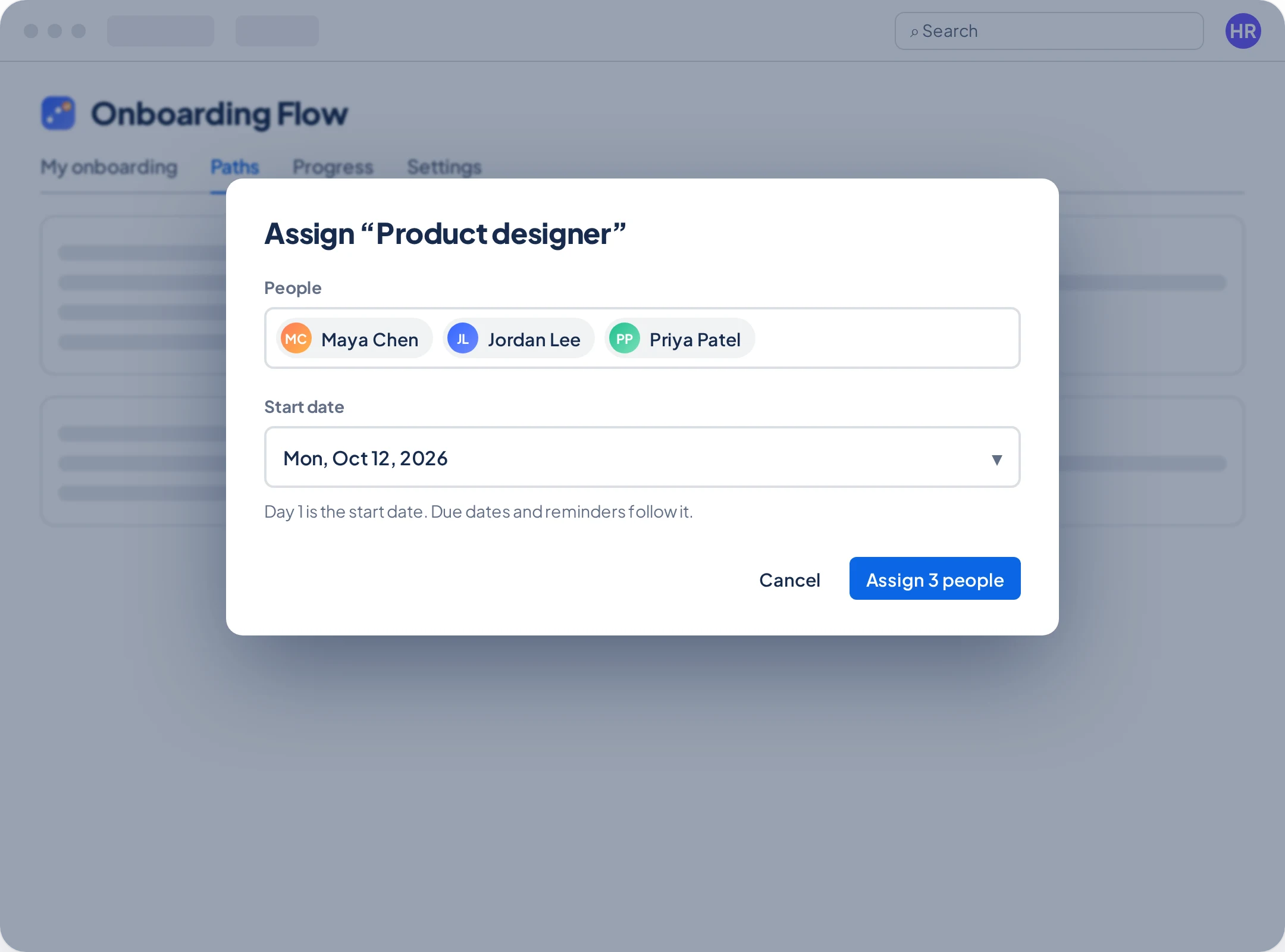
Pick the people and their first day. Every due date and reminder follows from there.
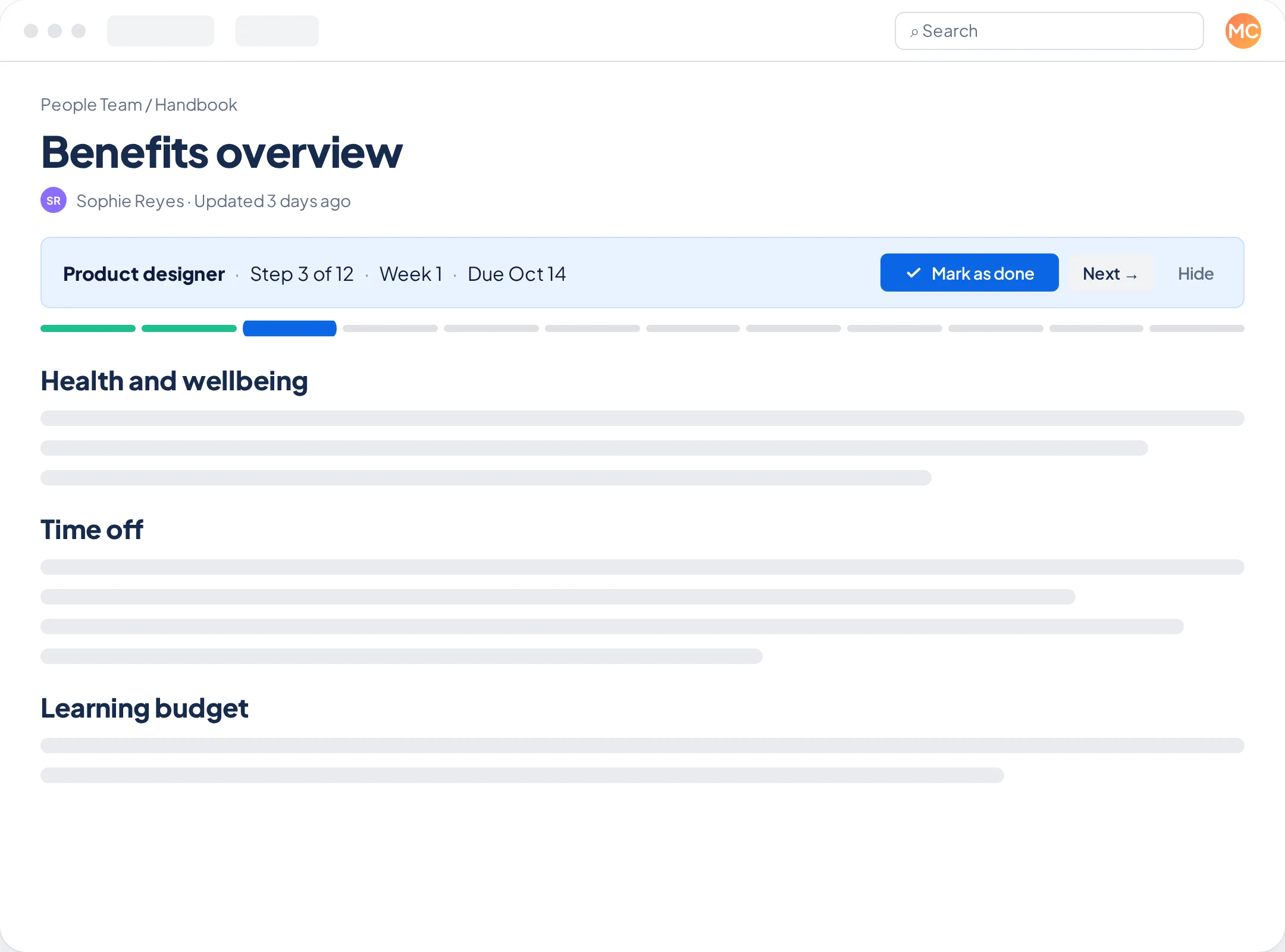
New hires never have to wonder what's next. A slim banner on each step page shows where they are, with one click to mark it done and move on.
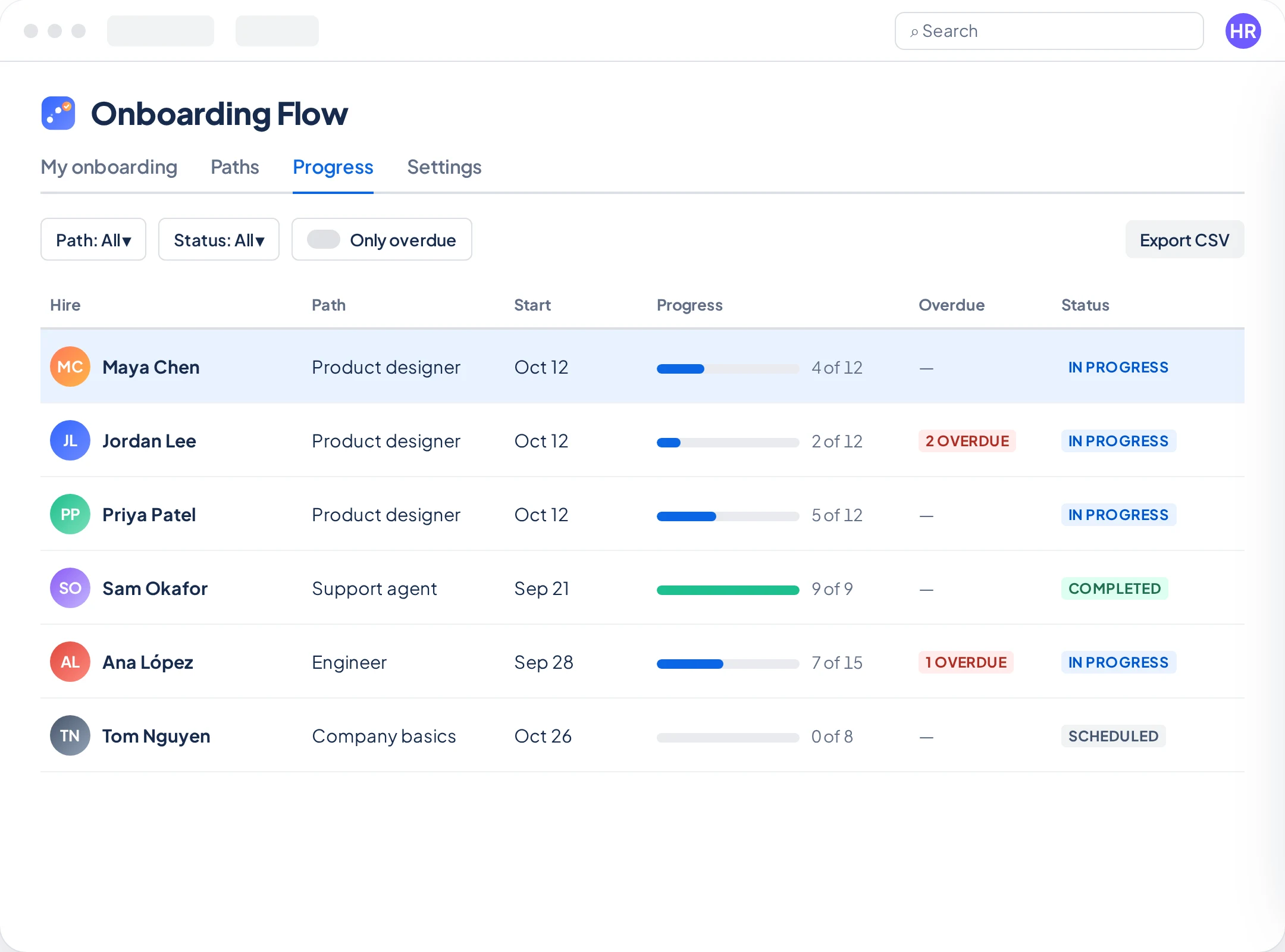
One table shows every hire's progress, overdue steps and last activity, so you can step in during week one, not month two.
Everyone follows the latest version. Steps they've finished stay finished, and a step you add after its due date shows up as New, never as overdue.
A setup checklist inside the app walks you through each step and ticks them off as you go.
Add Onboarding Flow to your Confluence Cloud site, then choose which Confluence groups can build paths. Site admins always can.
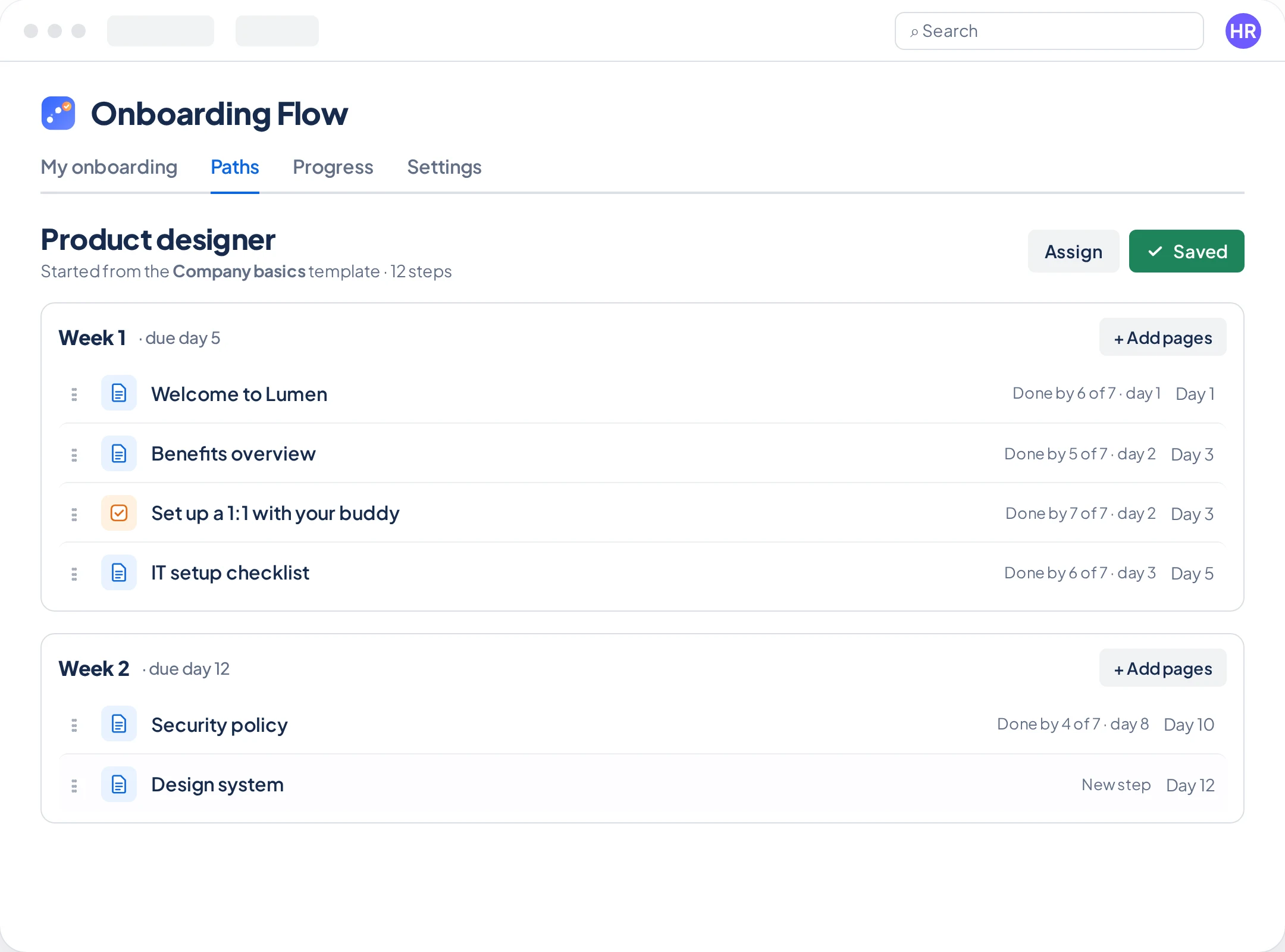
Start blank or from a template, drop in your existing pages, and set due days by week. Save when it looks right.
Assign it to new hires with a start date. They get guided page by page; you get a live view of who's on track.
Each template sets up sections and placeholder steps, with a hint about which of your pages belongs where.
Onboarding Flow runs entirely on Atlassian's Forge platform. There are no external servers, and we never see your data.
Eligible for Atlassian's Runs on Atlassian program: no remote hosts and no outbound connections.
Onboarding data is stored in Atlassian's cloud, in the same location as your Confluence data.
Managers only find pages they can view. New hires see "Page unavailable" instead of anything restricted.
Stores Atlassian account IDs, never names or email addresses. Closed accounts are erased automatically every week.
Choose which groups can build paths and see progress. Everyone else sees only their own onboarding.
Read exactly what's stored and why in our privacy policy.
Billed through your Atlassian account, with a free trial from the Marketplace.
For Confluence sites with up to 10 users.
Everything included, with volume pricing as you grow.
| Users | Per user / month |
|---|---|
| 1–10 | Free |
| 11–100 | $0.75 |
| 101–250 | $0.60 |
| 251–1,000 | $0.45 |
| 1,001+ | $0.30 |
No. Paths point at the Confluence pages and live docs you already have. When someone updates a page, every path that includes it shows the latest version automatically.
In Atlassian's cloud, alongside your Confluence data and in the same data residency location. Onboarding Flow runs on Atlassian's Forge platform with no external servers, so data never leaves Atlassian.
No. Onboarding Flow respects Confluence page permissions. If a hire can't view a page in their path, they see "Page unavailable" instead of its content, and managers only find pages they can view when building a path.
Site admins, plus members of the Confluence groups a site admin chooses in Settings. Everyone else sees only their own onboarding.
Everyone on the path follows its latest version. Steps they've finished stay finished, a step added after its due date shows as New rather than overdue, and removing a step keeps people's history.
The assign dialog gives you a link and a suggested welcome message to send. A site admin can also turn on onboarding pages: Onboarding Flow then creates an "Onboarding — name" page that @mentions each hire, so Confluence notifies them, and adds a weekly reminder comment when steps become overdue.
Yes. Add manual steps like "Set up a 1:1 with your buddy" or "Pick up your laptop". New hires tick them off in My onboarding.
Nothing is lost. Paths, progress, CSV export and the banners keep working. Creating new paths and assignments pauses until a site admin renews the license in Manage apps.
Onboarding Flow is built for Confluence Cloud on Atlassian's Forge platform.
Turn the pages you already have into guided onboarding. Free for small teams.